Salon software: Your calendar fills up, even while you cut.
Clients book online with their own stylist, also outside opening hours. You see every chair in one calendar, take card payments at the till and after the visit the software asks for a review.
No obligation · reply within one working dayScreens shown with demonstration data, based on software and sites running for our clients.
Play the customer. See your dashboard.
Choose what a customer would choose and see right away what happens in your software.
Which treatment?
With whom?
What time?
Done. This is how it works every day, without phone calls or retyping.
Start your intake- 09:00Haircut with Fade
- 11:30Beard with Youssef
- New
Demo with sample data, nothing is sent.
Less phoning, more cutting.
Making an appointment no longer means a phone call with a client in the chair. Bookings, payments and reviews run by themselves, in the right stylist’s calendar.
- Fade with Mo, Tuesday 10:0007:15 · Online Call back after opening Booked and confirmed by email
- Lisa cannot make Thursday09:40 · Cancellation Gap in the calendar Cancelled herself, slot free again
- Cut and beard, Youssef11:20 · Till Separate card terminal Paid by card at the till
- Daan after his visit13:30 · Review Forgot to ask Review request sent by email
- Revenue today18:30 · Dashboard Counting after closing Per day in the dashboard
Everything a salon needs every day.
Set up with your treatments, stylists and opening hours.
Online booking per stylist
Clients choose their stylist, the treatment and a free slot, also in the evening.
Confirmation by email
Every booking gets an instant confirmation with the appointment details.
Cancel themselves
If it no longer suits, the client cancels through the link in the email and the slot frees up.
Calendar per stylist
Each stylist sees their own day; you see every chair. Appointments also show in Google Calendar.
Till with card payments
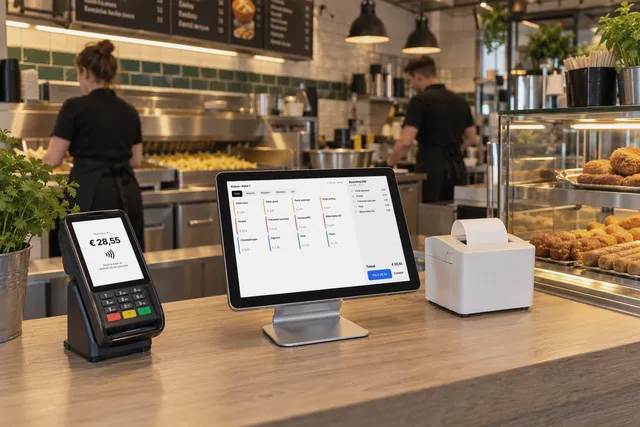
Check out at the desk, with a SumUp or Stripe card terminal linked to the till.
Reviews after the visit
A few hours after the visit the client gets an email asking for a review.
How you start
How we work- 1Intake In a few minutes you tell us what your business does and what you need.
- 2Call and demo We show the software with your business as the example.
- 3Setup Your services, hours, team and data are ready.
- 4Live Booking, the form or the till is ready for your customers.
- 5Support Questions, updates and hosting run through your fixed monthly licence.
A barbershop that runs on it.
L’Artiste Barbershop in Almere books, takes payments and asks for reviews with this software.
All customer stories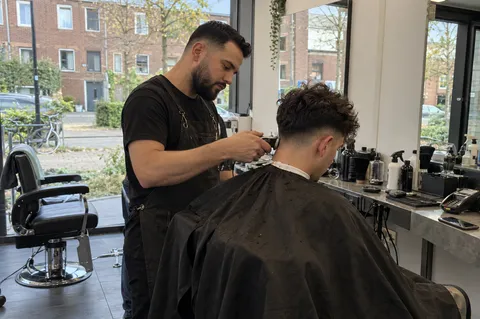
L'Artiste Barbershop
A full calendar starts with easy booking.
Read the storyThe photos with the customer stories are illustrative, not photos of our clients.
- Mon 22:10 CClient · websiteMon 22:10Picks Mo, a fade and Tuesday 10:00. Gets an instant confirmation by email.
- Tue 08:30 MMoTue 08:30Sees the appointment in today’s calendar, between his regulars.
- Tue 10:35 TTillTue 10:35The client pays by card; the payment shows in today’s revenue.
- Tue 12:45 CClient · emailTue 12:45Gets a short email asking for a review.
Know what to expect.
Explore pricing and optionsWhat does the software cost?
Your software is a one-off investment, fully set up for your business. After that you pay a fixed monthly licence for hosting, updates and support. The amounts depend on the features you use. After the intake and the call you know exactly where you stand.
Can clients book with a specific stylist?
Yes. The client first picks the stylist, then the treatment and a free slot in that stylist’s calendar.
What if a client cannot come?
The confirmation email has a link to cancel. The appointment leaves the calendar and the slot is free for someone else.
Which card terminal works with the till?
The till works with a SumUp or Stripe terminal. In the call after the intake we look at which one suits your salon.
Does it work with Google Calendar?
Yes. Appointments go into Google Calendar and busy times there are taken into account when booking.
How do we get more reviews?
A few hours after the visit the client automatically gets an email asking for a review. Cancelled appointments do not get that email.
Do we get a website too?
If you want. We build and host the website next to the software, with booking built right in.
Everything fits together.
All featuresSee it in your own business.
Start with a short intake. Then we schedule a call to show the software with your services, team and way of working.
 WhatsAppinfo@vorlyo.com
 Online booking with your own barber, without phone calls, and card payments at the till.
- Online booking per stylist
- Calendar for the team
- Till with card payments
- Review email after the visit