Hospitality POS system: A till that keeps going when it gets busy.
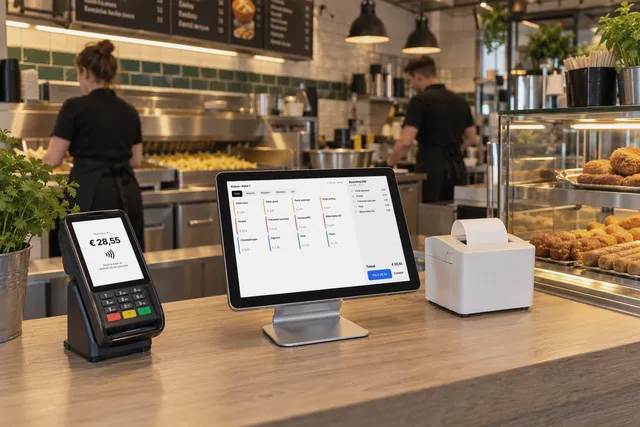
A touch till for the counter that keeps working without internet, and an ordering kiosk where guests order and pay by card themselves. Every kitchen gets its own ticket.
No obligation · reply within one working dayScreens shown with demonstration data, based on software and sites running for our clients.
Play the customer. See your dashboard.
Choose what a customer would choose and see right away what happens in your software.
What would you like?
How many?
How do you pay?
Done. This is how it works every day, without phone calls or retyping.
Start your intake- 086Bami goreng, paid by card
- 087Frikandel special, takeaway
- New
Demo with sample data, nothing is sent.
A shorter queue, the kitchen on time.
Guests order at the kiosk while the counter handles the phone and takeaway. Every order lands on the right ticket in the right kitchen.
- Order 087, paid by card18:02 · Kiosk Waiting in line Tickets to fryer and kitchen
- Delivery for a regular18:10 · Phone Asking the address again Found by phone number
- Paying a takeaway order ahead18:21 · Tikkie Note by the till Open until paid
- Connection briefly down18:30 · Internet Till stops Till keeps working
- Closing the day23:00 · Daily revenue Counting receipts Card, cash and Tikkie split
Made for a busy floor.
Set up with your menu, groups and printers.
Touch till
Large buttons, search as you type and a colour per group, so ringing up is quick.
Keeps working offline
The till runs in the shop itself; if the internet drops, you keep checking out.
Card, cash and Tikkie
The till works out the change; a Tikkie stays open until it is paid.
Customer file
Regulars by phone number, with address and notes for takeaway or delivery.
Kiosk with card payment
Guests choose themselves, with variants per dish, and pay at the kiosk.
Tickets per kitchen
A receipt with prices and a separate ticket for each kitchen, on the printer where it belongs.
How you start
How we work- 1Intake In a few minutes you tell us what your business does and what you need.
- 2Call and demo We show the software with your business as the example.
- 3Setup Your services, hours, team and data are ready.
- 4Live Booking, the form or the till is ready for your customers.
- 5Support Questions, updates and hosting run through your fixed monthly licence.
A restaurant that runs on it.
Mister Shi in IJmuiden lets guests order at the kiosk, so the counter stays free.
All customer stories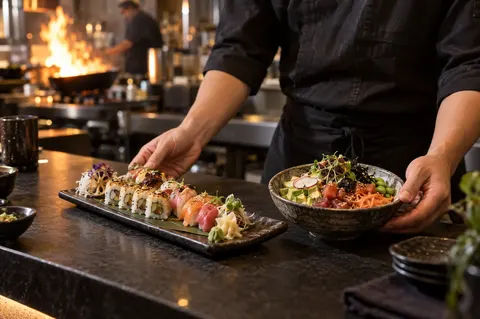
Mister Shi
From the online menu to ordering in the restaurant.
Read the storyThe photos with the customer stories are illustrative, not photos of our clients.
Know what to expect.
Explore pricing and optionsWhat does the software cost?
Your software is a one-off investment, fully set up for your business. After that you pay a fixed monthly licence for hosting, updates and support. The amounts depend on the features you use. After the intake and the call you know exactly where you stand.
Does the till work without internet?
Yes. The till runs on the computer in the shop and stores everything there. If the internet drops, you keep checking out. A backup is made every day.
Which payment methods can I offer?
Card, cash and Tikkie. For cash the till works out the change; a Tikkie stays open until it is paid.
How do orders reach the kitchen?
For each order the till prints a receipt and a ticket for each kitchen, without prices and with the order number. Which dishes go to which printer, we set up together.
What do I need for the kiosk?
A touchscreen, a card terminal and the receipt printers. We supply those too, as a POS package: set up and tested with your till. Already have equipment? After the intake we check what you can keep.
Can the AI assistant take reservations?
Yes. On the AI for restaurants page you can hear the assistant take a booking and answer questions about the menu.
Everything fits together.
All featuresSee it in your own business.
Start with a short intake. Then we schedule a call to show the software with your services, team and way of working.
 WhatsAppinfo@vorlyo.com
 A shorter queue on busy evenings and every order on the right ticket in the kitchen.
- Touch till for the counter
- Kiosk with card payment
- Tickets per kitchen
- Customer file